VR Prosodic Speech Analysis System
A completed system that measures how a person speaks inside a VR exercise, normalised against their own calm and urgent references.
What it is A system that measures vocal arousal during a VR exercise and shows a personally normalised score in real time.
What I built The Python analysis engine and the FastAPI service the VR layer drives.
My role
I designed and wrote the Python analysis engine: the recording layer, the Faster-Whisper transcription and word timing, the prosodic feature extraction built on Praat and librosa, the two-anchor personal calibration model, the scoring, the quality gates and the session logging. I also wrote the FastAPI service that the VR layer calls. Every commit in the repository is mine. The system runs end to end on a single Windows PC with the headset connected over Quest Link.
01
Measuring how someone speaks
Inside a VR exercise, the way someone talks carries information the task score does not capture.
If someone is working through a simulated procedure in VR, the system already knows whether they completed the steps. It knows nothing about how they sounded doing it. Speech carries that: pitch, loudness, tempo, where the pauses fall. I wanted to turn that into a number while the exercise is still running.
A fixed threshold does not work. If I say that anything above 180 Hz or 70 dB counts as elevated, the system ends up measuring the person instead of their state. A naturally loud speaker crosses that line while calm. A quiet one never crosses it at all, even under real pressure. Any absolute acoustic threshold is a statement about voices in general, and what I wanted to detect was a change in one voice.
- Hardware One Windows PC, Meta Quest 3 over Quest Link, audio from the Oculus virtual microphone at 16 kHz mono
- Interaction One controller button: hold to record, release to analyse
- Boundary No audio analysis reimplemented in C#. One implementation, in Python
- Latency Analysis returns while the exercise is still running
- Discipline Return nothing before returning a bad score
02
Two anchors instead of one threshold
Every speaker gets their own scale, with both ends measured from their own voice.
Before the exercise, each user records two short sentences. The first is spoken normally and becomes their baseline. The second is spoken with urgency and becomes their upperline. For each feature, the distance between those two recordings is that person’s own range.
Everything after that is measured as progress along that range: zero at the baseline, one at the upperline. A loud speaker and a quiet speaker who have each moved the same proportion of their own way toward urgency get the same score.
Diagram: personal calibration
Speaker A
louder, higher pitched
Baseline 112 Hz 0
Upperline 196 Hz 100
Speaker B
quieter, lower pitched
Baseline 78 Hz 0
Upperline 121 Hz 100
Signed gap
slower under urgency
Baseline 5.4 syll/s 0
Upperline 4.1 syll/s 100
The detail I am most pleased with is that the gap is signed. Most people speak faster under urgency, so their articulation rate upperline sits above their baseline. Some speak more slowly and deliberately instead. The formula does not treat that as an error to correct. It keeps whichever direction that person actually showed. The gap is simply negative, and progress along it is computed the same way.
app_speech_integrated.py · compare_with_two_anchors()
raw_progress = (
  current_number - baseline_number
) / gap

# Baseline'ın ters yönündeki değişim panik puanı üretmez.
score_progress = max(raw_progress, 0.0)

# Upperline'ı aşmak mümkündür. 1.25 sınırı, tek özelliğin
# bütün skoru aşırı şişirmesini engeller.
score_progress = min(score_progress, 1.25)

weighted_progress += score_progress * weight
used_weight += weight
Progress along a personal gap. Negative gaps work unchanged; movement the other way scores zero; one feature is capped so it cannot dominate.
Six features carry the score. Each has a weight and a minimum gap. The minimum gap is the smallest separation between a person’s two anchors that still counts as a real difference instead of noise.
| Feature | Weight | Minimum gap | Source |
|---|---|---|---|
| F0 median | 0.25 | 5 Hz | Praat pitch |
| Mean intensity | 0.20 | 2 dB | Praat intensity |
| Articulation rate | 0.20 | 0.30 syll/s | Whisper word timing |
| Max intensity | 0.15 | 3 dB | Praat intensity |
| Pitch range (p90−p10) | 0.10 | 5 Hz | Praat pitch |
| Pause ratio | 0.10 | 0.03 | Whisper word timing |
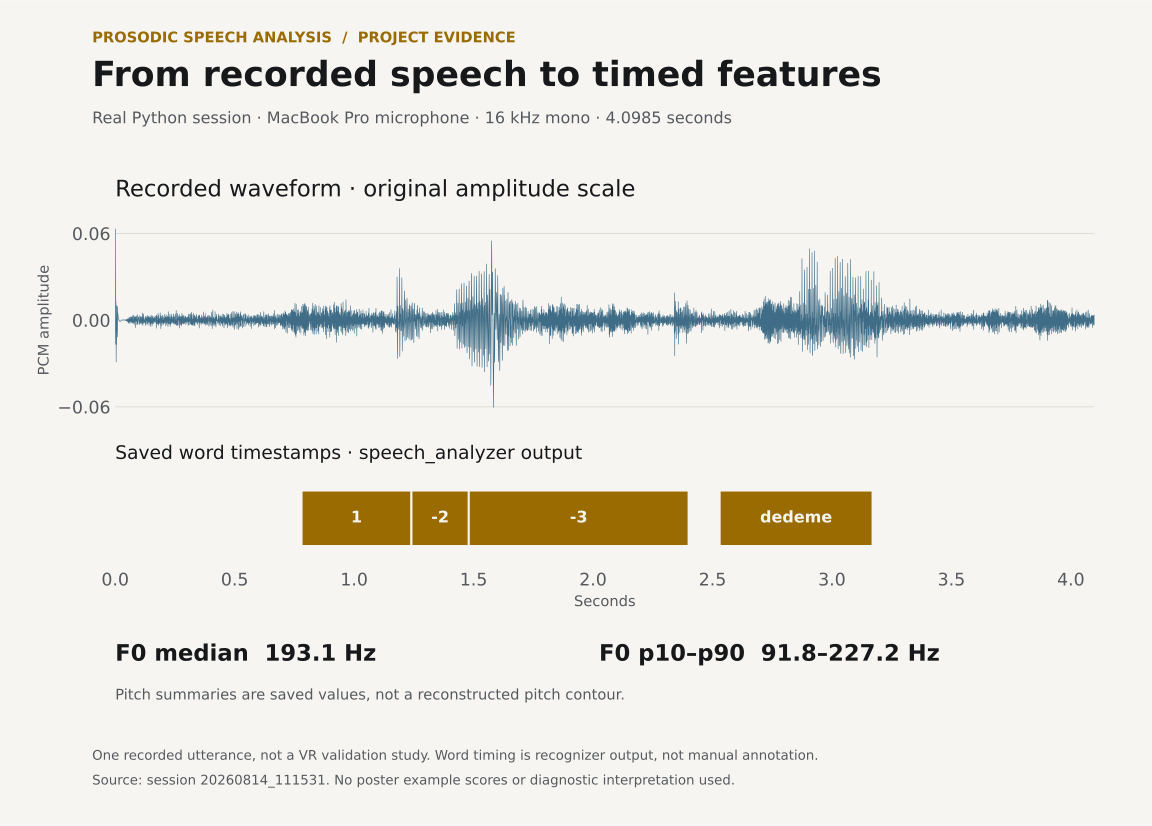
Timing comes from Faster-Whisper’s word-level timestamps instead of energy based voice activity detection. Energy VAD cannot tell a pause from a quiet room, and a noisy headset microphone makes it worse. Word boundaries from the transcript are a much better basis for saying where speech actually stopped. Syllables are approximated by counting Turkish vowels. That is a documented approximation and not a real syllabifier, and it is good enough for comparing a speaker with themselves.
The system is deliberately built in two layers with an HTTP bridge between them.
Diagram: system architecture
VR layer
Python analysis engine
- 01 Record 16 kHz mono
- 02 Transcribe · Faster-Whisper
- 03 Extract prosodic features
- 04 Quality checks
- 05 Personal calibration
- 06 Score 0-100
Runs on its own, with no headset attached
Keeping every measurement in Python is what makes that split worth having. Praat, librosa and Faster-Whisper have no equivalent in C#. Porting a subset of them into the VR project would have created a second implementation of the measurement, and I would have had to keep the two in agreement.
03
Making the score refuse to lie
Most of the engineering here is in the paths that return nothing.
A number on a panel gets believed. That is a good reason to be careful about when one is produced at all. The gates below are the part of this system I would most want to be judged on.
Diagram: scoring and quality gates
- 01
Recording usable?
Clipping at peak ≥ 0.99, too quiet below 0.02, voiced frames under 20%
Warn and ask for the recording again
- 02
Calibration phrase spoken?
Transcript compared against the expected sentence
Repeat the anchor
- 03
Did this feature separate?
Baseline and upperline must differ by the feature’s minimum gap
Drop the feature from scoring
- 04
Enough of the profile left?
At least two surviving features and 0.40 combined weight
Reject the calibration
If every gate passes
- Progress along each personal gap, signed so the direction is the speaker’s own
- Movement opposite to that direction contributes zero
- A single feature is capped at 1.25 so it cannot dominate
- Weighted, then clamped to 0-100
The feature level gate is the one that matters most. If a person’s baseline and upperline recordings did not separate on a given feature, that feature carries no information about them. Maybe they spoke at the same pitch both times. Including it would add noise dressed as signal. So it is dropped, and the score is computed from the features that did separate, reweighted.
That can cascade. Drop enough features and there is not enough profile left to score anything. Below two surviving features, or 0.40 of combined weight, calibration is rejected outright and the user records the anchors again.
Recording quality is checked before any of that. Clipping at a peak of 0.99 or above, a peak below 0.02, or fewer than 20% voiced frames all raise a warning. There is a subtler one too. If the voice activity detector reports that 98% or more of the window is active speech, that is usually a noisy room being heard as continuous talking, and the timing features derived from it are not trustworthy.
baseline_manager.py · evaluate_recording_quality()
if speech_window > 0:
  active_ratio = active_duration / speech_window

  if active_ratio >= 0.98:
      warnings.append(
          "Kayıdın neredeyse tamamı aktif konuşma olarak algılandı. "
          "Gürültü nedeniyle VAD/sessizlik tespiti güvenilir olmayabilir."
      )
The room, not the speaker, is what this check is looking for.
There is one more check I like. The calibration phrase itself is verified: the transcript of what the person said is compared against the sentence they were asked to say. A baseline recorded while someone was talking to the person next to them should not silently become the reference every later score is measured against.
04
The finished system
Button to score, end to end, on one machine.
The system, end to end
- Captures audio from the Quest microphone over Quest Link
- Controller button drives
/startand/stopon the FastAPI bridge - Returns transcript and word-level timing from Faster-Whisper
- Extracts six prosodic features per recording: F0 median and range, mean and max intensity, articulation rate, pause ratio
- Builds a personal calibration profile from the baseline and upperline anchors, and validates it before use
- Returns a 0-100 personally normalised score to the VR panel
- Writes per-utterance JSON, a session CSV and a session report for later analysis
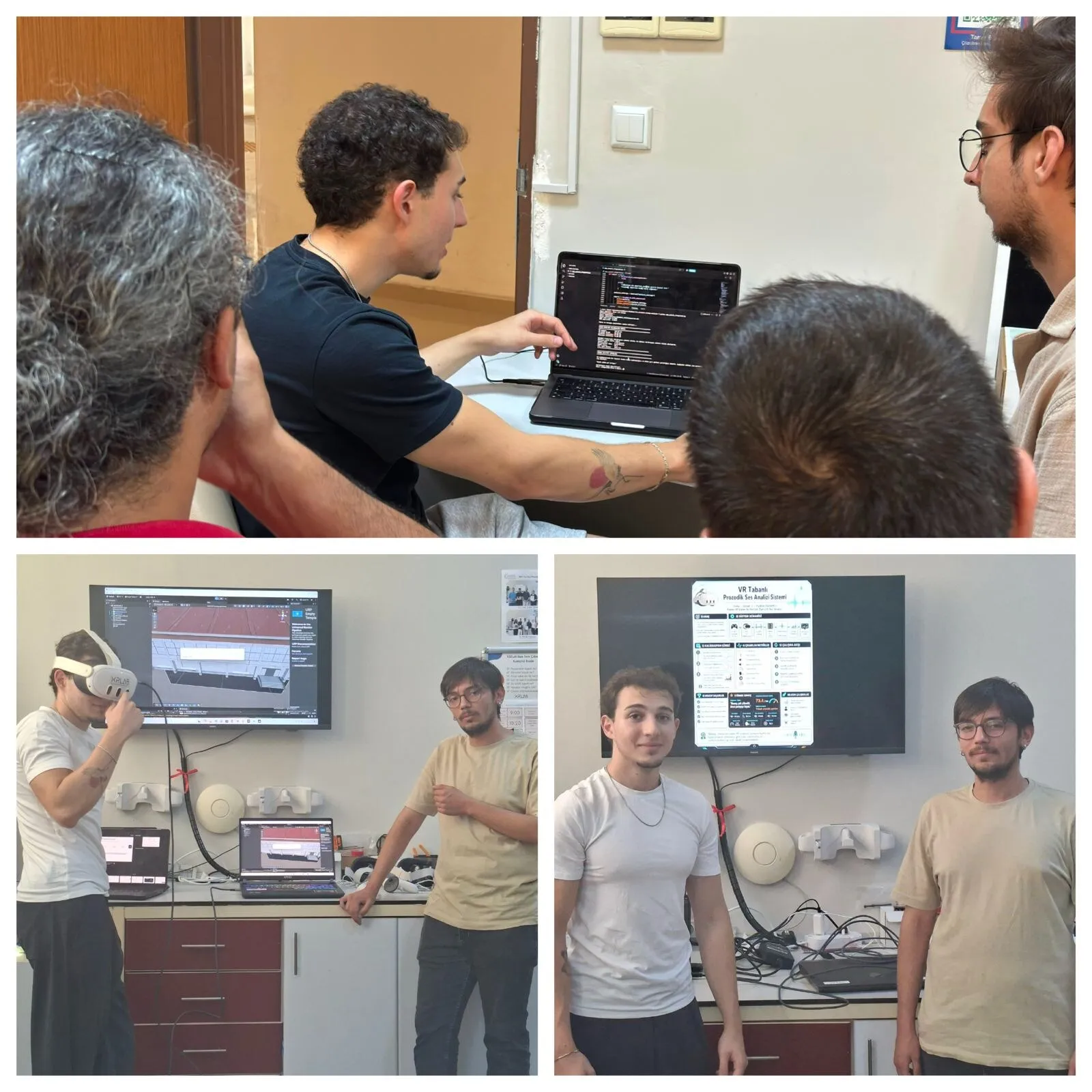
The engine runs without the headset attached. That is how I developed it and how it stays testable: a WAV file and a phrase are enough to exercise the whole measurement path. The VR layer only ever triggers a recording and displays what comes back.
Where the limits are
A prosodic score says how far someone's speech has moved along their own range between calm and urgent. It does not say why. Tiredness, a cold, a raised voice across a noisy room and genuine urgency all push the same features in the same direction, and nothing in the signal separates them. The score is explicitly not a clinical measure. The code says so where it prints a result, and I would keep saying it anywhere this was used. The syllable count behind the rate features is a vowel-count approximation for Turkish, which is good enough to compare a speaker against themselves and not good enough to compare speakers against each other.
Evidence on this page: Source code · Architecture · System design